How to Sell Ebooks Online
In this article
Ebooks are among the most accessible digital products to sell. The file is small, delivery is instant, and your margin is close to 100% once the content is written.

The challenge is not creating the ebook. It is choosing the right platform, setting the right price, and writing a product page that converts browsers into buyers. Most creators either pick the wrong platform for their situation or underprice their work without realizing it.
This guide walks through every major platform you can use to sell ebooks online – with actual fee breakdowns, setup steps, and pricing frameworks. By the end, you will know exactly where to list your ebook and how to structure the listing for your first sale.
What you need to start: A finished PDF file, a cover image, and a platform account. Nothing else is required before your first listing goes live.
What Do You Need Before You Can Sell an Ebook Online?
To sell an ebook online you need three things: a finished PDF file, a cover image, and a platform account. PDF is the universal format across Gumroad, Etsy, and Payhip. The cover is your primary sales tool – it is the only visual element buyers see before deciding whether to read your description. Most creators use Canva’s free ebook templates at canva.com/create/ebooks/ to produce a professional cover in under two hours without prior design experience.
Before you open any platform account, get these three elements ready:
1. The ebook file. PDF is the standard delivery format for direct-sale platforms like Gumroad, Etsy, and Payhip. Export your finished ebook as a PDF from Canva, Google Docs, or any design tool you already use. If you plan to list on Amazon KDP, you will additionally need a MOBI or EPUB version for Kindle compatibility.
2. A cover image. The cover functions as your product thumbnail across every platform. A cover that looks like a default Word document header signals low production value before a buyer reads a single word of your description. A clean, high-contrast cover with your title as the largest text element is enough. Canva’s free ebook templates at canva.com/create/ebooks/ give you a professional starting point in under two hours.
3. A platform account. Each platform covered below is free to join. You will need to connect a payment method – typically a bank account or PayPal – to receive payouts. This setup takes five to ten minutes.
If you have not yet created your ebook, read how to make an ebook to sell first. This guide picks up once the ebook file is finished.
Which Platform Should You Use to Sell Ebooks Online?
The platform choice depends on two questions: do you already have an audience, and how long is your ebook? Creators with an existing email list or social following should use Gumroad for lower fees and direct buyer relationships. Creators starting from zero should use Etsy for organic discovery. Long-form ebooks over 10,000 words may benefit from Amazon KDP. You can list on multiple platforms simultaneously – many ebook sellers do.

Here is how the major platforms compare across the factors that matter for ebook sellers:
| Platform | Fee Per Sale | Discovery Provided | Best For |
|---|---|---|---|
| Gumroad | 10% (per gumroad.com/pricing) | None – bring your own audience | Creators with existing email list or social following |
| Etsy | ~12-18% total (per Etsy fee schedule) | Yes – approximately 96 million active buyers (per Etsy Inc. 2024 annual report) | Creators starting with zero audience |
| Amazon KDP | 70% royalty at $2.99-$9.99; 35% outside that range (per kdp.amazon.com) | Yes – Kindle marketplace search | Long-form ebooks 10,000+ words priced under $9.99 |
| Payhip | 5% on free plan; 0% on paid plans from $29/month (per payhip.com/pricing) | None | Creators who want simpler checkout and lower fees |
| Own website | 0% (payment processor fees apply, typically around 2.9% plus $0.30 per transaction via Stripe) | None | Established creators with consistent traffic |
The most important factor is audience. A creator with 2,000 email subscribers does not need Etsy’s discovery engine. They should use Gumroad or Payhip, retain more revenue, and own the buyer relationship directly. A creator starting with no list and no following needs Etsy’s built-in traffic.
For a deeper comparison across all digital product types, see best platform to sell digital products.
How to Sell Ebooks on Gumroad
To sell an ebook on Gumroad: create a free account at gumroad.com, click “New Product,” select “Digital Product,” upload your PDF, set a price, add your cover image, write a description, and publish. The full setup takes under 30 minutes. Gumroad charges 10% per sale with payment processing included (per gumroad.com/pricing) – on a $20 ebook you keep $18.
Gumroad is the fastest setup for ebook sellers with an existing audience. Here is the exact process:
Step 1: Create your account. Go to gumroad.com and sign up with an email address. No credit card is required at signup. Verify your email before attempting to accept payments.
Step 2: Connect your payout method. Go to Settings > Payouts and enter your bank account or PayPal information. Gumroad processes payouts every Friday for the previous week’s sales – check current payout terms and any new-seller waiting period at help.gumroad.com before planning your first withdrawal.
Step 3: Create a new product. From your dashboard, click the purple “+” button and select “Digital Product.” This is where you upload your PDF file.
Step 4: Fill in product details. Enter your ebook title as the product name, set your price, and write your description. Gumroad supports Markdown formatting in descriptions, which lets you add bold text, bullet lists, and headings to your sales copy.
Step 5: Upload your cover. Add your cover image as the product thumbnail. Use a 1,280 x 720 pixel image (per Gumroad’s product setup documentation) for clean display on Gumroad product cards and your creator profile.
Step 6: Add your file. Under “Content,” upload your PDF. After purchase, Gumroad automatically sends the buyer a download link – you do not handle delivery manually. If you have both a PDF and EPUB version, you can attach both files to the same product.
Step 7: Publish. Set the product to “Published” and save. Gumroad generates a product URL you can share in emails, social posts, or anywhere else you reach your audience.
For a complete Gumroad ebook walkthrough including product page optimization and cover design, see how to sell ebooks on Gumroad.
How to Sell Ebooks on Etsy
To sell an ebook on Etsy: open a shop at etsy.com/sell, create a listing under the Digital Downloads category, upload your PDF, set a keyword-rich title, price between $5 and $25 based on depth (per observed Etsy storefront pricing in this category), and publish. Etsy handles automatic delivery. The listing fee is $0.20 per listing per the Etsy fee schedule.

Etsy is the right choice for creators who have no existing audience and want organic discovery from Etsy’s buyer base. The tradeoff is higher combined fees and more listing competition in popular categories.
Step 1: Open your Etsy shop. Go to etsy.com/sell and follow the guided setup. You will name your shop, set your language and currency, and add your payment information before you can list anything.
Step 2: Create a new listing. From your Shop Manager dashboard, click “Add a listing” and select the category “Digital Downloads.”
Step 3: Upload your PDF. Etsy accepts files up to 20MB each, with up to 5 files per listing (per Etsy’s digital listing requirements). Upload your PDF directly to the listing. After a buyer pays, Etsy sends them an automatic download link – no manual delivery required on your end.
Step 4: Write your title. Lead with the primary keyword your buyer would type into Etsy search, followed by descriptive terms. A title like “How to Price Your Canva Templates: Etsy Seller Guide PDF Download” performs better than a clever headline because Etsy’s search algorithm weights titles heavily.
Step 5: Set your price. Etsy ebook sellers typically price between $5 and $25, based on observed pricing in this category. Short how-to guides commonly convert at $5 to $9. Longer, more detailed playbooks typically list at $15 to $25. Research competing listings in your niche for calibration.
Step 6: Write your description. Describe exactly what the buyer receives: number of pages, what they will be able to do after reading, and what format is included. Bullet points of specific benefits convert better than paragraphs of general promises.
Step 7: Add your cover as the primary listing photo. Your cover is the first element buyers see in Etsy search results. Upload it as the main photo. Interior page screenshots added as additional photos give buyers a preview of what they are purchasing.
For a full Etsy setup walkthrough including SEO tags and fee breakdowns, see how to sell digital downloads on Etsy.
How to Sell Ebooks on Amazon KDP
Amazon KDP is best for long-form ebooks priced under $9.99 that target the Kindle Unlimited audience. Authors earn 70% royalties on ebooks priced $2.99 to $9.99 and 35% on ebooks priced outside that range (per the Amazon KDP royalty schedule at kdp.amazon.com). Kindle Unlimited enrollment requires 90-day exclusivity, which prevents selling the same ebook on Gumroad or Etsy during that period.
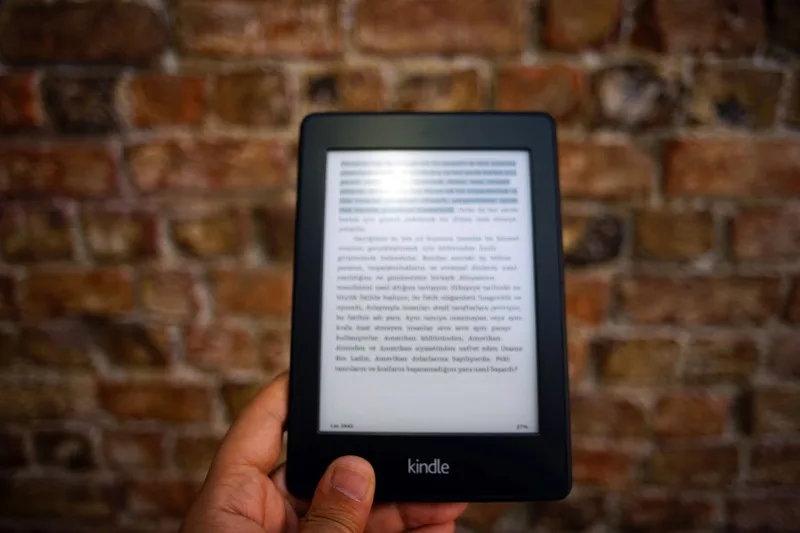
Amazon KDP operates on a fundamentally different model from every other platform in this guide. Understanding the differences prevents pricing and exclusivity mistakes.
Key differences from Gumroad and Etsy:
- Amazon KDP is designed for Kindle (EPUB or KPF) format, not PDF. Your ebook content will reflow on e-reader screens, which means complex layouts with columns, sidebars, or heavy graphic design do not translate well.
- The 70% royalty applies only within the $2.99 to $9.99 price window. Price your ebook at $14.99 and your royalty drops to 35% of the list price.
- Kindle Unlimited enrollment requires 90-day exclusivity. You cannot sell the same ebook on Gumroad or Etsy simultaneously if you enroll.
- Amazon does not share buyer email addresses. You do not build a direct customer list through KDP sales.
When Amazon KDP makes sense:
- Your ebook is 10,000 words or longer and benefits from the Kindle reading experience
- Your topic has measurable search volume on Amazon’s own search
- You are willing to price at $2.99 to $9.99 to capture the 70% royalty rate
- You are building visibility through Kindle Unlimited’s page-read payments in addition to sales
When to skip Amazon KDP for your first ebook:
- You want to sell short PDF guides at $15 to $49 and own the buyer relationship
- You are cross-listing on Gumroad and Etsy and cannot accept 90-day exclusivity
- Your ebook relies on visual layout that does not translate to reflowable e-reader format
For most creators selling their first ebook, Gumroad or Etsy is the better starting point. Amazon KDP is a secondary channel worth exploring once your ebook has proven demand on a direct-sale platform.
How Do You Price an Ebook for Sale Online?
Price your ebook based on the depth of the outcome it delivers. Short how-to guides of 15 to 30 pages typically price between $9 and $19 on Gumroad and $5 to $15 on Etsy, based on pricing patterns observed across ebook storefronts on these platforms. Comprehensive playbooks of 30 to 60 pages commonly support $19 to $49. Amazon KDP pricing is constrained by the 70% royalty window of $2.99 to $9.99.
The most common pricing mistake is treating page count as the pricing variable. Buyers pay for the result, not the length.
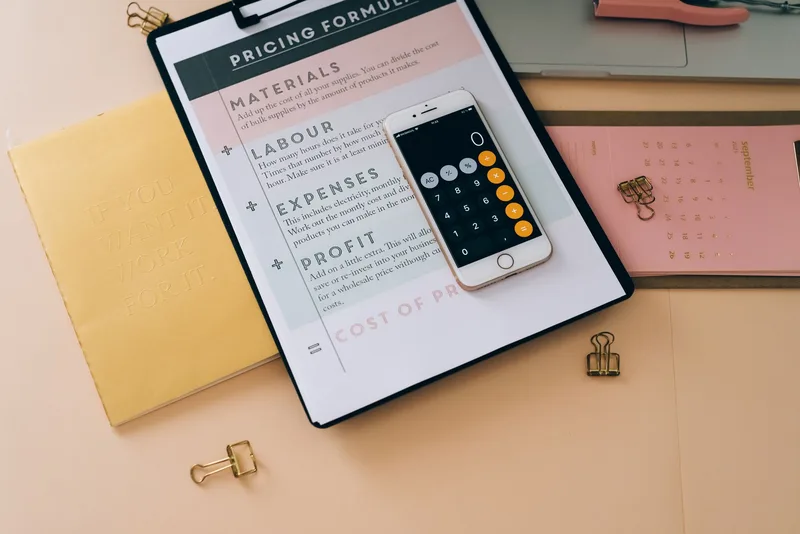
Price ranges by ebook type and platform:
| Ebook Type | Pages | Gumroad Range | Etsy Range |
|---|---|---|---|
| Short how-to guide | 15-30 | $9-$19 | $5-$15 |
| Comprehensive playbook | 30-60 | $19-$49 | $12-$29 |
| Flagship ebook | 60+ | $49-$97 | $25-$49 |
These ranges reflect observed pricing patterns across Gumroad and Etsy storefronts. Actual conversion rates vary by topic specificity, cover quality, and competing listings in your niche.
Three pricing principles that apply across all platforms:
Price by outcome, not by page count. A 20-page guide that solves one specific, urgent problem can charge more than a 100-page overview that covers everything superficially. The buyer is paying for the result, not the weight of the download.
Start in the middle of your range, not the bottom. Pricing a $20 guide at $7 to accumulate initial reviews signals lower value to buyers rather than a bargain. Start at a price you can defend with your product description. Prices can be raised once social proof exists; lowering them is harder to reverse cleanly.
Avoid pricing that signals uncertainty. $15 and $14 both convert well in their respective contexts. $13.47 suggests the seller is unsure what to charge. Round numbers or clean “minus one” pricing ($14, $19, $29) perform better than arbitrary figures.
How Do You Write an Ebook Product Page That Actually Sells?
An ebook product page converts when it immediately answers four questions: What will I be able to do after reading this? Who is this specifically for? What exactly is inside? Why should I trust the person who wrote this? Most listings fail because they describe what the ebook covers rather than what the buyer gains from reading it.
Your product page replaces a salesperson. It needs to address the buyer’s hesitations – in the first 100 words of your description.
Title: Lead with the outcome or the specific problem, not your author name or creative title. Use the search term your buyer typed to find you. “How to Price Your Canva Templates for Etsy: Data-Backed Seller Guide” is more discoverable and more compelling than “Etsy Pricing Secrets.”
First sentence of description: State the problem or outcome directly. “This ebook tells you exactly how to price your first digital product on Etsy, based on sales data from active sellers” replaces three paragraphs of setup. No biography, no context, no preamble.
What you get section: Use bullet points, not paragraphs. List your chapters or sections with one sentence explaining what each covers. “Chapter 3: Setting your launch price using the three-tier pricing method” tells a buyer more than “Pricing your product.” Specificity is the fastest way to build pre-purchase trust.
Who this is for: Name the reader. “This is for creators who have a finished Etsy product and are stuck deciding what to charge.” Qualified readers convert at higher rates than broad audiences.
Social proof: If you have buyer reviews, testimonials, or a sale count, include them. If you have none yet, skip this section entirely rather than leaving a placeholder. New listings without social proof still convert when the description is specific and the outcome is clear.
Already have your ebook ready and want to choose the right platform? The Digital Products hub at OfferEngine covers platform comparisons, pricing guides, and free platform options for every type of digital product.
Frequently Asked Questions
Can you sell the same ebook on multiple platforms at the same time?
Yes. You can sell the same PDF ebook on Gumroad, Etsy, Payhip, and your own site simultaneously. Write unique titles and descriptions for each platform to avoid duplicate-content issues in search. Keep the file identical across all listings. The only exception is Amazon KDP Kindle Unlimited, which requires 90-day exclusivity on the Kindle version of your ebook – the PDF version can still be sold elsewhere during that period.
Do you need to register a copyright before selling an ebook online?
No registration is required before selling. Copyright protection is automatic in the United States for original works at the moment of creation, per the U.S. Copyright Office. You do not need to file, pay a fee, or register anywhere before listing your ebook for sale. Adding a brief copyright notice on the title page is standard practice and good protection, but it is not a legal prerequisite for selling.
How does delivery work when someone buys your ebook?
Gumroad, Etsy, and Payhip all handle delivery automatically. When a purchase is completed, the platform sends the buyer an email with a secure download link. You do not manually send files. Amazon KDP delivers directly to the buyer’s Kindle device or app. The only scenario where manual delivery is required is if you set up a basic payment link on your own website without automation.
What is the most effective way to market an ebook once it is listed?
Your existing audience is the most reliable starting point for first sales. One focused email or social post describing the specific problem your ebook solves and who it is for will reach people who already trust you. Present it as the answer to a problem, not as your new product. For ebooks listed on Etsy, keyword-optimized titles and tags generate organic search traffic over time without ongoing promotion effort.
Can you sell ebooks online without a website?
Yes. Gumroad, Etsy, Amazon KDP, and Payhip are all standalone selling platforms that require no website. You can sell ebooks without a blog, social media presence, or any personal site. A website becomes useful later – for email list building, SEO content, or housing your own checkout – but it is not a requirement for your first ebook listing or your first sale.
Keep Reading
What to Do Next
Choose the path that fits where you are right now.
Score Your Ideas
Answer a few questions about your skills, audience, and goals. Get a product type and selling platform matched to you.
Take the QuizGet Weekly Tactics
One tip, one tool, one case study. Every Tuesday.
Free. No spam. Unsubscribe anytime.