How to Sell Lightroom Presets
In this article
Lightroom presets are a beginner-friendly digital product to sell.

You create the preset file once, upload it once, and every sale after that delivers the same file. No inventory. No shipping. No restocking. A photographer who has already developed a strong editing style has a sellable product sitting inside their Lightroom catalog right now.
The catch is that most photographers who try to sell presets quit after their first listing gets no traction. The problem is almost never the preset itself. It is the packaging, the platform choice, and the listing copy.
Here is exactly how to fix all three.
Time to your first listing: 4-8 hours for a pack of 10-15 presets, assuming you already have a consistent editing style. Difficulty: Beginner-friendly if you know Lightroom. No design background required. Tools you need: Adobe Lightroom Classic or Lightroom CC (for export), a free Canva account (for mockup images), and an account on your chosen platform.
What Makes a Lightroom Preset Worth Selling?
A sellable Lightroom preset applies a specific, repeatable look to a photo with a single click. What buyers are paying for is not a filter but a consistent aesthetic they can apply across hundreds of images to match a particular style: warm film tones, moody desaturated blues, clean bright whites, or any other recognizable look. Presets that solve a specific aesthetic problem for a specific photography niche convert better than general-purpose bundles marketed to “all photographers.”
The digital products market for photography presets is active and competitive, but not oversaturated at the niche level. A preset pack for “dark and moody wedding photography” competes differently than one for “bright airy lifestyle photography” or “cinematic travel presets for Sony cameras.”
Three signals that a preset pack is worth selling:
- Style consistency. Your presets should produce a recognizable look that someone unfamiliar with Lightroom could not replicate from scratch in under an hour.
- Niche specificity. Presets marketed to a defined photography audience (wedding photographers, travel bloggers, food photographers, portrait studios) convert better than bundles sold to “anyone who uses Lightroom.”
- Applicability across lighting conditions. A preset that only works on outdoor golden-hour photos limits the buyer’s use cases. A strong pack includes variations that handle shade, overcast, and indoor conditions.
What File Formats Do You Need to Deliver Lightroom Presets?
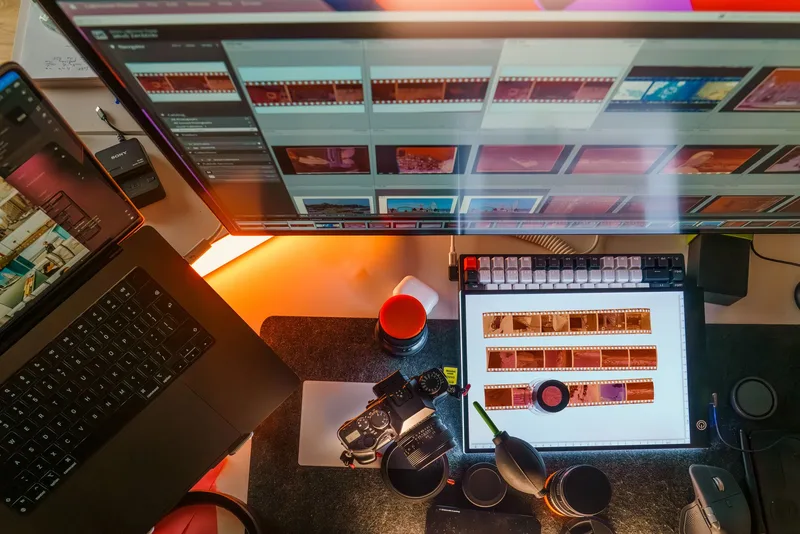
Deliver Lightroom presets in XMP format for desktop users (Lightroom Classic and the current CC desktop app). Include DNG files for mobile buyers who use Lightroom Mobile. LRTEMPLATE files are a legacy format from pre-2018 versions of Lightroom Classic that most buyers no longer need, though some sellers include them for backward compatibility. Package all files in a ZIP archive for delivery.
Format confusion is the most common reason preset buyers leave negative reviews. Sellers who deliver only XMP files get complaints from mobile users. Sellers who deliver only DNG files get complaints from desktop users.
The three formats and who needs them:
| Format | Compatible With | Who Needs It |
|---|---|---|
| XMP | Lightroom Classic, Lightroom CC desktop | Desktop users (majority of buyers) |
| DNG | Lightroom Mobile on iOS and Android | Mobile-only users |
| LRTEMPLATE | Lightroom Classic pre-2018 | Legacy users (minority; optional to include) |
Package structure that covers all buyers:
Your-Preset-Pack-Name.zip
├── Desktop XMP/
│   ├── 01-Warm-Film.xmp
│   ├── 02-Fade-Classic.xmp
│   └── ... (all presets)
├── Mobile DNG/
│   ├── 01-Warm-Film.dng
│   └── ... (all presets)
└── README.txt (installation instructions)
The README is not optional. Include step-by-step installation instructions for both desktop and mobile. A buyer who cannot install the preset will ask for a refund regardless of how good the presets look.
How Do You Create and Package Lightroom Presets to Sell?
To export a preset for sale in Lightroom Classic: open the Develop module, right-click any preset in the Presets panel, select Export, and save as an XMP file. Repeat for each preset in the pack. For the DNG mobile version, create a DNG reference photo with the preset applied, then import it into Lightroom Mobile for the buyer to use as an import source. Name every file clearly using a consistent format such as “Brand-PackName-PresetName.xmp” to avoid buyer confusion.
Creating the files is straightforward once you have a developed style. The work that separates presets that sell from presets that sit unsold is the naming, organization, and testing step before export.
Step-by-step process:
Test across multiple image types before exporting. Apply your preset to at least four photos: outdoor natural light, shade, indoor artificial light, and a high-contrast scene. If the preset looks broken in three of the four scenarios, it needs more tuning before it is ready to sell.
Name files descriptively. “Preset-01.xmp” will confuse buyers and generate support questions. Use a format like “OfferEngine-WarmFilm-01-Base.xmp” that includes your brand, the pack name, and a short description.
Export from Lightroom Classic. Right-click the preset in the Presets panel, select Export, and choose XMP. Do this for each preset individually.
Create the mobile DNG versions. Apply each preset to a test photo in Lightroom Classic, export the photo as a DNG (File > Export, format = DNG), and that file becomes the mobile version buyers can import into Lightroom Mobile.
Write the README. Two sections: desktop installation (drag XMP files into Lightroom’s Presets folder or use the Import Presets dialog) and mobile installation (import the DNG file into the Lightroom Mobile camera roll, then use Copy Settings to apply). Keep it under one page.
Compress everything into a ZIP. The ZIP is the file you will upload to your selling platform.
Where Should You Sell Lightroom Presets?
The three main platforms for selling Lightroom presets are Etsy, Gumroad, and Creative Market. Etsy provides the most organic discovery with approximately 100 million active buyers (per Etsy Inc. 2024 annual report), but charges combined fees of roughly 12-18% per sale depending on transaction type (per the Etsy seller fee schedule). Gumroad charges 10% per sale with payment processing included (per Gumroad’s pricing page), which suits sellers with an existing audience. Creative Market has a built-in community of designers and photographers but is invite-only and takes a 30% commission (per Creative Market’s standard seller terms). Own-site selling via Shopify or Payhip is viable as a second channel once you have proof of concept.

Platform comparison for preset sellers:
| Platform | Audience | Fees | Best For |
|---|---|---|---|
| Etsy | ~100M active buyers (per 2024 Etsy annual report) | ~12-18% combined (per Etsy fee schedule) | Sellers with no existing audience |
| Gumroad | Your own audience | 10% flat (per gumroad.com/pricing) | Sellers with email list or following |
| Creative Market | Designer/photographer community | 30% commission (per platform terms) | Established preset creators with portfolio |
| Payhip | Your own audience | Free plan available, 5% per sale on free tier (per Payhip pricing) | Direct-to-buyer testing |
Start with Etsy if you have no audience. Etsy’s search algorithm is how most preset buyers find new sellers. A buyer who types “moody film presets for portrait photography” into Etsy search is already in buying mode. You cannot replicate that active-buyer intent from a Gumroad page with no external traffic.
Add Gumroad as a second channel once you have sales proof. Once your Etsy listing has 20 or more sales, you have enough social proof to drive traffic from your social channels directly to Gumroad. Gumroad captures buyer email addresses on every sale, which Etsy does not, so it builds a direct customer relationship.
Creative Market is worth applying to eventually, not immediately. The platform requires an application and portfolio review. If your presets already sell on Etsy, use that track record as your application portfolio.
For a broader look at where to list digital products, see the Digital Products to Sell hub at OfferEngine.
Building your digital product strategy beyond presets? See how to sell digital products for platform selection, pricing frameworks, and common first-sale blockers across all product types.
How Do You Price Lightroom Presets?
Individual Lightroom presets typically price between $5 and $15. Packs of 10-25 presets typically price between $15 and $47. Bundles of multiple packs or comprehensive collections covering 50 or more presets typically price between $39 and $97. These ranges reflect observed pricing patterns across active Etsy and Creative Market storefronts, not guarantees. New sellers should start at the lower end of the range and raise prices after accumulating 25 or more positive reviews.
Price anchoring is your biggest lever as a new seller. A $47 mega-bundle sits next to a $27 pack on your Etsy storefront and makes the pack look like the sensible choice. A $15 starter pack creates an entry point for buyers who are unsure.
Three-tier pricing structure that works for most preset sellers:
- Tier 1 (Entry): 5-10 presets, $9-$15. Attracts buyers who want to test your style before committing.
- Tier 2 (Pack): 15-25 presets, $19-$35. Your main volume seller. Priced for perceived value.
- Tier 3 (Bundle): 3-4 packs combined, $39-$67. Priced for serious buyers and return customers.
Avoid pricing based on how long it took to create the presets. A buyer does not care that you spent 40 hours developing your editing style. They pay for the outcome: time saved and consistent results. Price based on what the result is worth to your buyer, not your input cost.
How Do You Write a Listing That Gets Found and Converts?
Write your listing title for search, not for creativity. Lead with the specific style (moody, bright, vintage, film), the photography type (portrait, wedding, travel, food), and the word “Lightroom presets.” Example: “Moody Film Lightroom Presets for Portrait Photography, 20 XMP + Mobile DNG.” Your first image should show the before-and-after effect clearly. Use at least five photos in the listing: one before-and-after pair, three example photos with the preset applied to different lighting conditions, and one flat-lay mockup of the ZIP file or product packaging.

Listing structure that converts:
Title: Style + photography type + “Lightroom presets” + delivery note. Keep it under 140 characters. Etsy’s search ranks titles heavily.
First sentence of description: Restate the result, not the product. “Get the exact warm film tones used by travel photographers without spending hours on manual adjustments” outperforms “This pack includes 15 Lightroom presets.”
Description structure:
- What the buyer gets (number of presets, formats delivered, before-and-after result)
- Who it is for (specific photography type or style)
- What is included in the download (XMP, DNG, README)
- Compatibility note (Lightroom Classic, Lightroom CC, Lightroom Mobile)
- A note that no Lightroom subscription is included
Tags: Use all available Etsy tags. Effective tag patterns for presets: “[style] lightroom preset,” “lightroom [photography type] preset,” “[style] photo filter,” “lightroom mobile preset,” “xmp preset download.” Avoid generic tags like “digital download” or “photography” that are too broad to drive relevant traffic.
Mockup images: Buyers buy presets based on visual evidence. A listing with one flat-lay image will convert at a fraction of the rate of a listing showing the preset applied to six to eight diverse photos. Use Canva’s free mockup templates to create clean presentation images if you do not have a dedicated mockup tool.
For a complete walkthrough of listing digital products on Etsy, see how to sell digital downloads on Etsy.
Frequently Asked Questions
Do I need Adobe Lightroom to sell presets?
Yes, you need Lightroom to create and export preset files in the XMP or LRTEMPLATE format. Adobe Lightroom Classic is the standard tool for preset development. The Creative Cloud Photography plan that includes Lightroom Classic and Photoshop is currently priced at $9.99 per month per Adobe’s official pricing page (adobe.com/plans). You do not need a subscription beyond what you already use for your own editing. Buyers need their own Lightroom license to use the presets you sell.
Can I sell Lightroom presets if I am not a professional photographer?
Yes. Most preset buyers care about the aesthetic result, not the seller’s credentials. What matters is whether your editing style produces a consistent, desirable look. Many successful preset sellers are self-taught photographers or photo editors who developed a distinctive style through personal projects. Your before-and-after photos are your credentials, not your professional history.
How many presets should I include in my first pack?
Start with a pack of 10-15 presets for your first product. A smaller pack forces you to select only your best work, which produces a more cohesive product and a higher satisfaction rate among buyers. You can always expand into larger bundles once you have sales data confirming which style performs best. A tightly curated 12-preset pack will outsell an unfocused 50-preset bundle most of the time.
Do Lightroom presets work on Lightroom Mobile?
They do, but buyers need the DNG file format for mobile use, not XMP. XMP presets only work in the Lightroom desktop application. To support mobile buyers, include both the XMP files (for desktop) and DNG files (for mobile) in your delivery ZIP. Note that Lightroom Mobile requires an Adobe Creative Cloud subscription for full functionality, including the ability to import presets.
What happens if a buyer cannot install my presets?
This is the most common support request for preset sellers. Solve it before it happens: include a clear, step-by-step README file in your ZIP with installation instructions for both desktop and mobile. A short video tutorial linked from your listing description (hosted on YouTube or Vimeo) further reduces support requests. On Etsy, you can add a listing note that automatically sends buyers to your installation guide as part of the digital download confirmation.
Keep Reading
What to Do Next
Choose the path that fits where you are right now.
Score Your Ideas
Answer a few questions about your skills, audience, and goals. Get a product type and selling platform matched to you.
Take the QuizGet Weekly Tactics
One tip, one tool, one case study. Every Tuesday.
Free. No spam. Unsubscribe anytime.