How to Sell Stickers on Etsy
In this article
Stickers are one of Etsy’s most accessible product types.
The creation cost is low, the product format is simple, and buyer demand is consistent year-round. Search volume for sticker-related terms on Etsy runs into the hundreds of thousands of monthly queries, spanning everything from vinyl laptop stickers to digital planner sheets. Most new sellers underestimate how many distinct sub-niches exist inside the single word “sticker” – and that’s exactly where the opportunity lives.
This guide covers every major format: digital sticker sheets (instant download, zero fulfillment), physical stickers via print-on-demand services, and hybrid approaches. By the end, you will know which format fits your situation, how Etsy’s fee structure affects your margins, and how to build a listing that converts browsers into buyers.
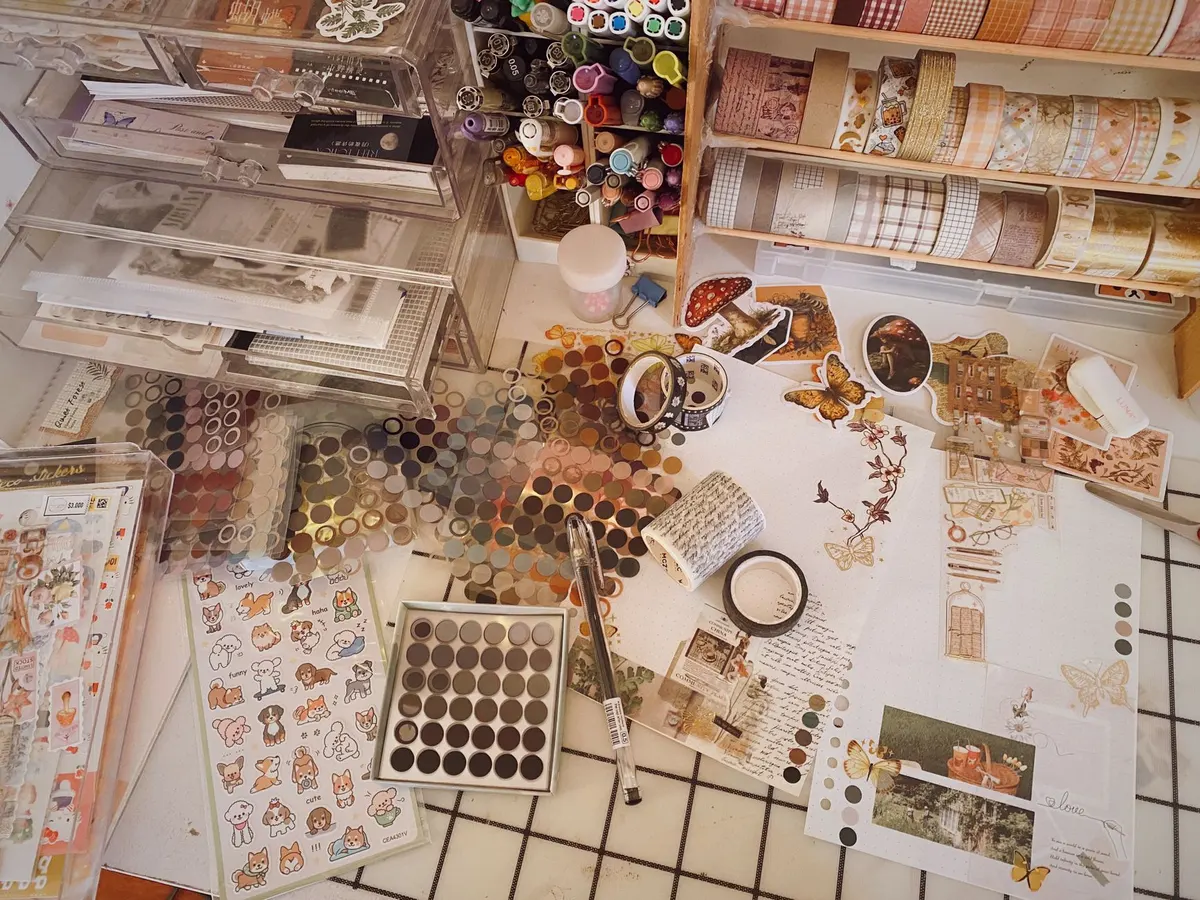
What Types of Stickers Can You Sell on Etsy?
Etsy sellers offer two main formats: digital sticker sheets (instant download PNG or PDF files buyers print at home or use in apps like GoodNotes) and physical stickers (printed vinyl, paper, or holographic stickers shipped to the buyer). Digital stickers have zero fulfillment cost and no inventory risk. Physical stickers have higher average order values but require a production method – either a print-on-demand partner or in-house printing.
The sticker category on Etsy splits into four practical formats:
| Format | How It’s Delivered | Avg. Listing Price | Production Cost |
|---|---|---|---|
| Digital sticker sheet (printable) | Instant download PDF/PNG | $2–$6 | $0 |
| Digital sticker sheet (app-ready) | Instant download PNG/zip | $3–$8 | $0 |
| Physical stickers (print-on-demand) | Shipped via Printify/Printful | $4–$15 | $1.50–$5 per unit |
| Physical stickers (self-printed/wholesale) | Shipped by seller | $3–$12 | Varies by quantity |
A few things stand out in this breakdown. Digital sticker sheets have the lowest barrier to entry: no inventory, no shipping, no minimum order quantity. Physical stickers command higher prices but require you to either partner with a print-on-demand service or invest in your own printing setup.
Most new sticker sellers start digital, then add physical once they have validated demand in their niche. This is usually the right sequence – you learn which designs sell before committing production budget.
How Do You Create Digital Stickers for Etsy?
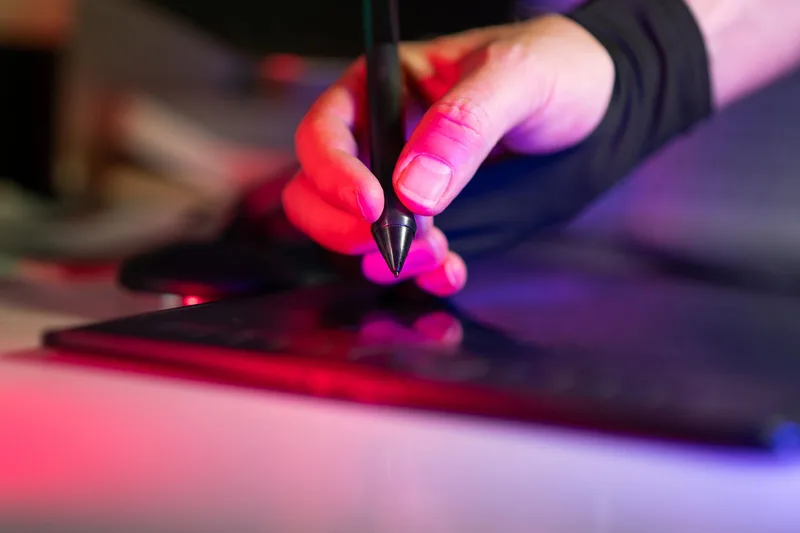
Create digital stickers using Canva, Procreate, Adobe Illustrator, or any design tool that exports transparent PNG files. The buyer receives a ZIP file containing individual PNG stickers or a full sheet PDF. For GoodNotes and Notability compatibility, export at 300 DPI with transparent backgrounds. You do not need a paid design tool – Canva’s free tier is sufficient for most beginner sticker sets.
Digital sticker creation breaks into three steps: design, export, and delivery setup.
Step 1: Design Your Sticker Set
Choose a niche before you open your design tool. “Cute stickers” is not a niche. “Pastel watercolor floral planner stickers for vertical Happy Planner layouts” is a niche. The more specific your initial collection, the easier it is for Etsy’s algorithm to match your listing to buyers who are actively searching for exactly what you make.
Strong niches for 2026 (based on consistent Etsy search patterns):
- Functional planner stickers – appointment trackers, habit trackers, meal planning sheets
- App-compatible digital stickers – optimized for GoodNotes, Notability, or Samsung Notes
- Themed seasonal sets – holiday, back-to-school, seasonal mood boards
- Aesthetic collections – cottagecore, dark academia, y2k, coquette
- Budget and finance tracker stickers – bill pay, savings goals, income logs
Design each sticker with a transparent background. If you are using Canva, export as PNG with transparent background enabled. If you are using Procreate on an iPad, export as PNG from the share menu.
For digital planners and GoodNotes users – a large and active Etsy buyer segment – size your stickers consistently. A common standard is 300 DPI images at 1-inch or 2-inch squares for individual stickers, and full A5 (5.8 x 8.3 inch) or US Letter sheets for printable formats.
Step 2: Export and Package Your Files
Bundle your stickers into a ZIP file that the buyer downloads automatically after purchase. A well-structured digital sticker download includes:
- Individual PNG files – one per sticker, transparent background, 300 DPI
- Sheet version – all stickers arranged on a single page for home printing
- Instructions PDF – one page explaining how to use the stickers in popular apps
- Optional: pre-cropped GoodNotes-ready version – buyers who use iPad planners specifically look for this
The instructions PDF is not optional for new sellers. Etsy reviews for digital stickers frequently cite “confusing to use” as the reason for 3-star ratings. A clear one-page guide explaining how to import into GoodNotes or how to print at home prevents this and reduces customer service messages.
Step 3: Upload to Etsy as a Digital Download
In your Etsy listing, select “Digital” under the listing type. Upload your ZIP file as the product file – Etsy allows up to five files per listing, each up to 20 MB. Buyers receive automatic download access after purchase without any action required from you.
How Do You Sell Physical Stickers on Etsy?
Sell physical stickers via a print-on-demand service (Printify or Printful integrate directly with Etsy) or by sourcing prints from a local or online print shop and shipping them yourself. Print-on-demand removes all inventory and shipping work but reduces your margin to roughly 20–45% depending on the product and price point. Self-fulfillment costs more upfront but yields higher margins at volume.
Physical sticker selling on Etsy has two practical paths.
Option A: Print-on-Demand
Printify and Printful both integrate with Etsy. When a buyer places an order, the service prints and ships the stickers automatically. You never touch inventory.
The tradeoff: print-on-demand costs more per unit than bulk printing. A sticker sheet that a print shop would print for $0.50 in quantity might cost $3.00 via print-on-demand. Your listing price needs to cover that cost while remaining competitive.
For vinyl kiss-cut sticker sheets on Printify, production costs typically run $2.50–$5.00 per sheet depending on size and quantity. At a $9–$12 listing price, margins after Etsy fees run approximately 25–40%. This is workable for high-volume sellers with strong organic search traffic, but thin for new shops that rely on Etsy ads to drive initial sales.
Option B: In-House Printing or Wholesale
If you already own a Silhouette or Cricut cutting machine, you can print stickers at home using sticker paper and cut them yourself. This gives you the most control over quality and the highest margins, but it does not scale easily past a certain volume.
A middle path: order bulk prints from a service like StickerMule, Sticker Giant, or a local print shop, then ship orders yourself. This works well for established designs with proven demand – you order a print run once you know a design sells, rather than before.
How Do You Set Up an Etsy Sticker Listing?
A high-converting sticker listing needs 10 photos (starting with a strong mockup thumbnail), a keyword-rich title that leads with the product type, tags that match actual buyer search terms, and a description that answers the three questions every buyer has: what exactly is included, what format are the files, and how do they use the stickers after purchase.
Setting up the listing correctly from the start matters more than most new sellers realize. Etsy’s algorithm uses early engagement signals – saves, clicks, and purchases – to decide how widely to surface a listing. A weak listing photo or confusing title suppresses those early signals and slows the climb.

Listing Title
Lead with your keyword phrase, then add descriptive detail. Examples:
- “Digital Planner Stickers | Pastel Floral GoodNotes Stickers | iPad Sticker Sheet Download”
- “Vinyl Laptop Stickers | Waterproof Mushroom Cottagecore Sticker Pack | 5 Die Cut Stickers”
Etsy’s title field allows 140 characters. Use them. Separate phrases with the pipe character (|) or commas – Etsy treats both as natural breaks.
Tags
Use all 13 tag slots. Tags on Etsy are not single keywords – they can be multi-word phrases up to 20 characters. Research-backed tags for sticker listings include:
- digital planner stickers
- GoodNotes stickers
- printable sticker sheet
- vinyl stickers set
- laptop sticker pack
- cute planner stickers
- transparent sticker png
- waterproof sticker
- kawaii sticker set
- cottage core sticker
Use eRank or Marmalead to verify search volume for tags before finalizing. Both tools have free tiers with enough data to validate your choices.
Listing Photos
Etsy allows 10 photos per listing. Use all 10 on your best-performing designs.
- Photo 1: Hero mockup – stickers shown in context (on a planner, on a laptop, displayed on a light table)
- Photos 2–4: Individual sticker designs close-up
- Photo 5–6: Scale reference – stickers next to a hand, a planner page, or a ruler
- Photo 7–8: Lifestyle mockup – stickers in use on a planner spread or laptop
- Photo 9: What’s included – clear image showing all files in the download
- Photo 10: Instructions preview or usage example
The first photo determines your click-through rate in search results. Use a real mockup, not a plain white background. Buyers need to visualize the sticker in their life before they click.
What Are Etsy’s Fees for Sticker Sellers?
Etsy charges three fees that directly affect your sticker margins: a $0.20 listing fee per product, a 6.5% transaction fee on each sale (applied to the item price plus shipping), and a payment processing fee of 3% plus $0.25 per transaction. On a $5 digital sticker sale, you net approximately $4.07 after fees (including the listing fee). On a $10 physical sticker pack with $4.00 production cost, Etsy fees total approximately $1.40 – leaving $4.60 before shipping. Domestic US shipping for a small pack typically runs $3–$5, so factor that into your pricing.
Here is the fee math at common sticker price points:
| Sale Price | Listing Fee | Transaction Fee (6.5%) | Processing Fee (3% + $0.25) | Net (Digital) |
|---|---|---|---|---|
| $3 | $0.20 | $0.20 | $0.34 | $2.26 |
| $5 | $0.20 | $0.33 | $0.40 | $4.07 |
| $8 | $0.20 | $0.52 | $0.49 | $6.79 |
| $12 | $0.20 | $0.78 | $0.61 | $10.41 |
Net includes the $0.20 listing fee charged per listing period (every 4 months), not per individual sale.
The listing fee is charged when you list the item, not when it sells. It renews every four months (or each time the listing sells and restocks). For physical products, factor in production and shipping costs on top of these fees.
For a more detailed fee breakdown across different price points, see our Etsy beginners guide.
How Should You Price Stickers on Etsy?
Price digital sticker sheets between $3 and $8 for single sets and $10–$20 for premium bundles with 50+ stickers or multiple coordinating sets. Price physical sticker packs at a minimum of 2.5x your production cost, then compare against the Etsy price range for your specific product type. Sellers who price below $3 for digital products typically attract more refund requests and lower-quality reviews without meaningfully more volume.
The most common pricing mistake for new sticker sellers is pricing too low in an attempt to compete. A $1 digital sticker sheet signals low quality to buyers. It also leaves you no margin for Etsy ads, which most new shops need to build initial sales velocity.
A practical pricing framework for stickers:
| Product Type | Starter Price | Volume Price (25+ sales) | Bundle Price |
|---|---|---|---|
| Single digital sticker sheet (12–20 stickers) | $3–$5 | $4–$6 | $12–$18 for 5 sheets |
| App-ready digital sticker mega-pack (50–100 stickers) | $6–$9 | $8–$12 | $20–$28 |
| Vinyl kiss-cut sticker (single) | $3–$5 | $4–$6 | $10–$15 for 5-pack |
| Vinyl sticker sheet (6–12 stickers) | $6–$10 | $8–$12 | – |
Once you have 15–20 sales and a strong review average, raise your prices incrementally. Most successful sticker sellers increase prices 2–3 times in the first year as their review count builds social proof.
How Do You Grow a Sticker Shop on Etsy?
Grow by expanding within your niche before branching out. Create seasonal variations of your bestsellers, build bundle listings from existing singles, and use Etsy’s Shop Stats to identify which listings generate the most traffic so you can create related products. Most sticker shops with consistent monthly revenue of $500–$2,000 have 30–80 active listings built over 6–12 months.
The path from first listing to consistent revenue follows a predictable pattern.
Months 1–2: List 10–15 designs in a single theme or niche. Focus on one style (example: pastel kawaii planner stickers) and build enough inventory for Etsy to understand your shop’s identity.
Months 2–4: Bundle your top singles into themed packs. A shop with 12 individual sticker sheets can create 3–4 bundle listings without designing anything new. Bundles typically have higher conversion rates and better average order values.
Months 4–6: Add seasonal content. Search volume for “Halloween planner stickers” spikes in September and October. List seasonal designs 6–8 weeks before the season – Etsy’s indexing takes 2–4 weeks.
Months 6+: Expand to adjacent formats or niches once you have validated demand. If your pastel planner stickers are selling, test a dark academia version of the same product format.
Consider listing on additional platforms once your Etsy shop has traction. Many sticker sellers also sell on Gumroad with higher prices since Gumroad’s fees are lower than Etsy’s. Our platform comparison guide covers the pros and cons of each marketplace for digital product sellers.
Not sure what product to sell first? Take the free quiz – 2 minutes, personalized result.
Frequently Asked Questions
Do you need a Cricut or Silhouette to sell stickers on Etsy?
No. For digital sticker sheets, you do not need any physical equipment – buyers download and print or use the files themselves. For physical stickers, you have three equipment-free options: print-on-demand services (Printify, Printful), local print shops, or online bulk printers. A cutting machine is useful if you want to sell die-cut physical stickers in-house, but it is not a requirement to start.
Can you sell digital stickers made in Canva on Etsy?
Yes. Canva’s free and Pro plans both allow commercial use of designs you create using their tools. You cannot sell the Canva elements themselves (the stock graphics from their library), but you can sell finished sticker designs that use Canva elements as part of a larger creative work. Check Canva’s Content License Agreement for the current specifics, as policies can update. Many Etsy sticker sellers build their entire shop using Canva.
How much can you realistically make selling stickers on Etsy?
Income varies significantly based on niche, listing count, marketing effort, and how long a shop has been active. New shops in months 1–3 typically see $0–$150/month. Established shops with 40–80 listings and strong SEO typically see $300–$1,500/month from digital stickers alone. Shops with a large seasonal catalog or physical stickers in a high-demand niche can reach higher ranges, though these figures come from seller community discussions and marketplace research, not guaranteed outcomes. The most reliable variable is listing count – more listings in a validated niche consistently correlates with higher revenue.
What makes a sticker shop fail on Etsy?
The most common reasons: listing too few items (fewer than 10 listings makes it hard for Etsy’s algorithm to categorize the shop), targeting a niche with no active buyers (always validate with Etsy search before designing), using placeholder product photos instead of mockups, and pricing too low to cover the cost of Etsy ads. New shops also frequently give up before the 90-day mark – Etsy’s algorithm takes 60–90 days of consistent activity to begin surfacing new shops in organic search results.
Should you sell digital stickers or physical stickers on Etsy to start?
Start with digital stickers unless you already have a printing setup or a print-on-demand integration ready. Digital stickers have zero production cost, no shipping delays, instant delivery, and unlimited inventory. You can launch with $0 in materials and validate which designs sell before investing in physical production. Once you have 5–10 designs that sell consistently in digital format, the same designs are strong candidates for physical production.
Keep Reading
- How to Sell Digital Downloads on Etsy – File requirements, mockup creation, and delivery setup for any digital product on Etsy.
- How to Sell on Etsy for Beginners – Account setup, fee breakdown, and a 30-day action plan for new sellers.
- Best Digital Products to Sell on Etsy – Ranked by competition and demand, with revenue estimates across 15 product categories.
What to Do Next
Choose the path that fits where you are right now.
Score Your Ideas
Answer a few questions about your skills, audience, and goals. Get a product type and selling platform matched to you.
Take the QuizGet Weekly Tactics
One tip, one tool, one case study. Every Tuesday.
Free. No spam. Unsubscribe anytime.